

See What’s New on TruSpeed in May
Spotlight Features
The big, shiny things that bring more power, polish, and flexibility across our products.
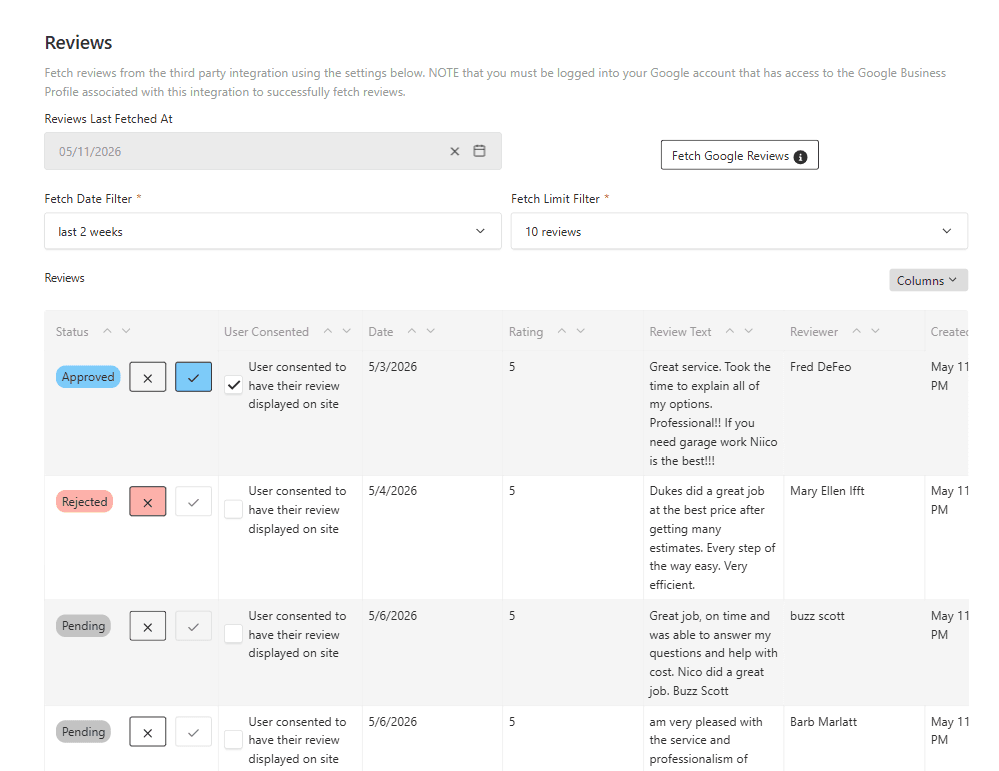
Third Party (Google) Review Integrations
- What’s New: Members can now pull their latest reviews directly from their Google Business Profile into TruSpeed, then evaluate and approve which reviews to display onsite. Once approved, members can easily swap in a Reviews Carousel Block to dynamically display their latest approved Google Business Reviews and control how many recent reviews appear on their site.
- Impact for Members: This feature strengthens social proof while still giving members full control over which reviews are displayed publicly. By showcasing up-to-date reviews, it helps create a more dynamic and trustworthy website experience with minimal ongoing effort.
- See it Live - >HERE
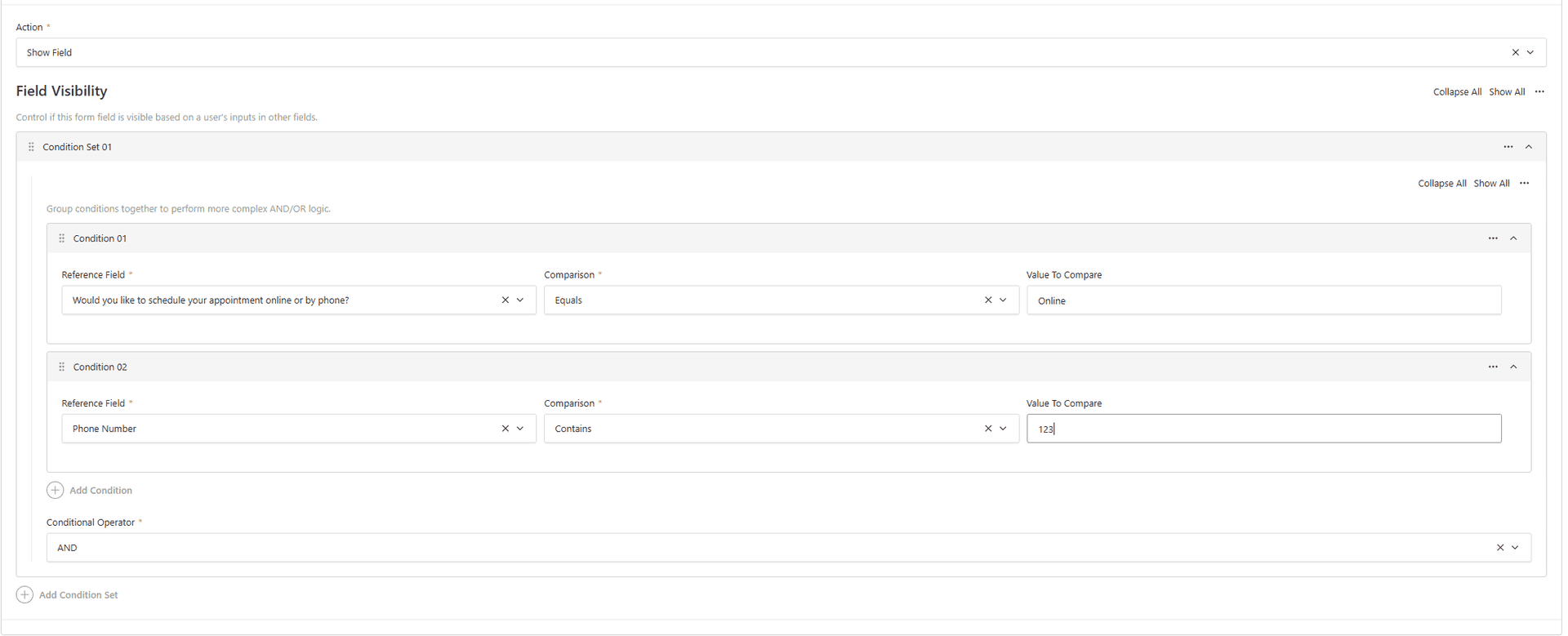
Conditional Form Fields
- What’s New: TruSpeed now supports conditional visibility rules for forms. You can show or hide fields - and even individual dropdown options - based on a user’s responses. This feature supports AND/OR logic and complex condition sets, enabling more personalized and dynamic form experiences.
- Impact for Members: This creates smarter, more dynamic forms that adapt to each user’s input, helping reduce unnecessary questions, improve the user experience, and drive higher-quality submissions.
- See it Live - >HERE
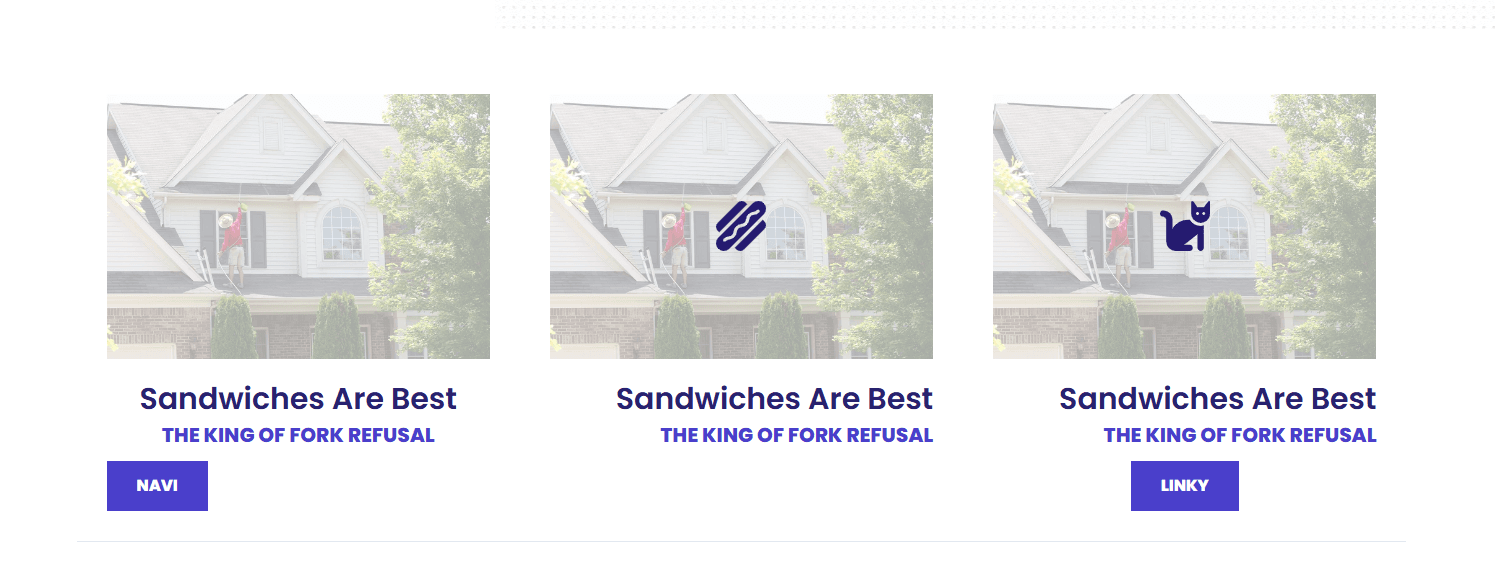
Column Cards Block Enhancements
- What’s New: The Column Cards Block now includes additional customization options, including image overlays, per-card icons, and flexible text alignment. These enhancements give members more flexibility to tailor the block for a wider variety of content types, design styles, and layout needs.
- Impact for Members: These updates make it easier to create more visually dynamic, polished layouts that better align with a site’s branding and content needs, while also expanding the ways the block can be used across different sections and use cases throughout a site.
- See it Live - >HERE
Quick Wins
Small-but-mighty upgrades that bring extra shine, smoother experiences, and more design flexibility.
- Enhanced Edit History Tracking: All TruSpeed collections now include “Modified By” and “Modified At” fields, making it easier to track the latest edits, identify who last updated content, and improve visibility into draft and publishing workflows.
- Rich Text Embed Skeleton Loaders: Videos, maps, and custom embeds in rich text fields now use skeleton loaders that reserve space while content loads. This preserves the performance benefits of lazy loading while reducing page jumpiness to create a more polished user experience.
- Sticky Bar & Mobile Menu Color Customization: Members can now customize the background and text colors of the sticky bar menu and mobile menu directly within Site Settings, including the sticky menu button itself. This adds more flexibility for branding and allows members to create a more cohesive navigation experience across devices.
- Third Party Form Mobile CTA: Hero and Image Dialog mobile CTAs now work with Third Party Form Blocks, improving flexibility across form types.
- Full Width Hero Form Padding Update: Improved spacing between form content and text creates a more balanced, polished layout.
- Full Width Header Logo Padding: Added spacing around the logo in full width headers, giving it more breathing room and improving visual balance.
- Settings Overwrite UX Improvement: Ever made changes to overwrite site settings on a page or template and then wondered why nothing updated, only to realize the “overwrite” box was never checked? Settings will now visually show or hide based on whether overwrite is enabled, making it much clearer when those settings are being used.
- Events Block Hero Image Controls: Members can now choose whether an event’s featured image also appears as the hero image on the individual event page, allowing for cleaner layouts when featured images are not ideal for large hero displays.
- Service Selector Title Display Fix: Service Selector titles now display correctly. If no tab title is added, the selector will default to the service title.
Form Integration Updates
Less flashy, still important. These behind-the-scenes updates allow us to integrate with new members and improve data attribution.
- Form File Upload Size Increase: The file upload field now supports uploads up to 10MB, making it easier for users to submit larger images and files without running into size limitations.
- Reusable Block Form Validation: Form-related reusable block selectors now only allow compatible form blocks, adding guardrails that help prevent invalid configurations.
- Hatch/Marlimar/Meta Multi Step Form Fix: Resolved an issue where Hatch, Marlimar, and Meta integrations were not properly working with Multi Step Forms, improving submission reliability.