

See What’s New on TruSpeed in March
Spotlight Features
The big, shiny things that bring more power, polish, and flexibility to TruSpeed.
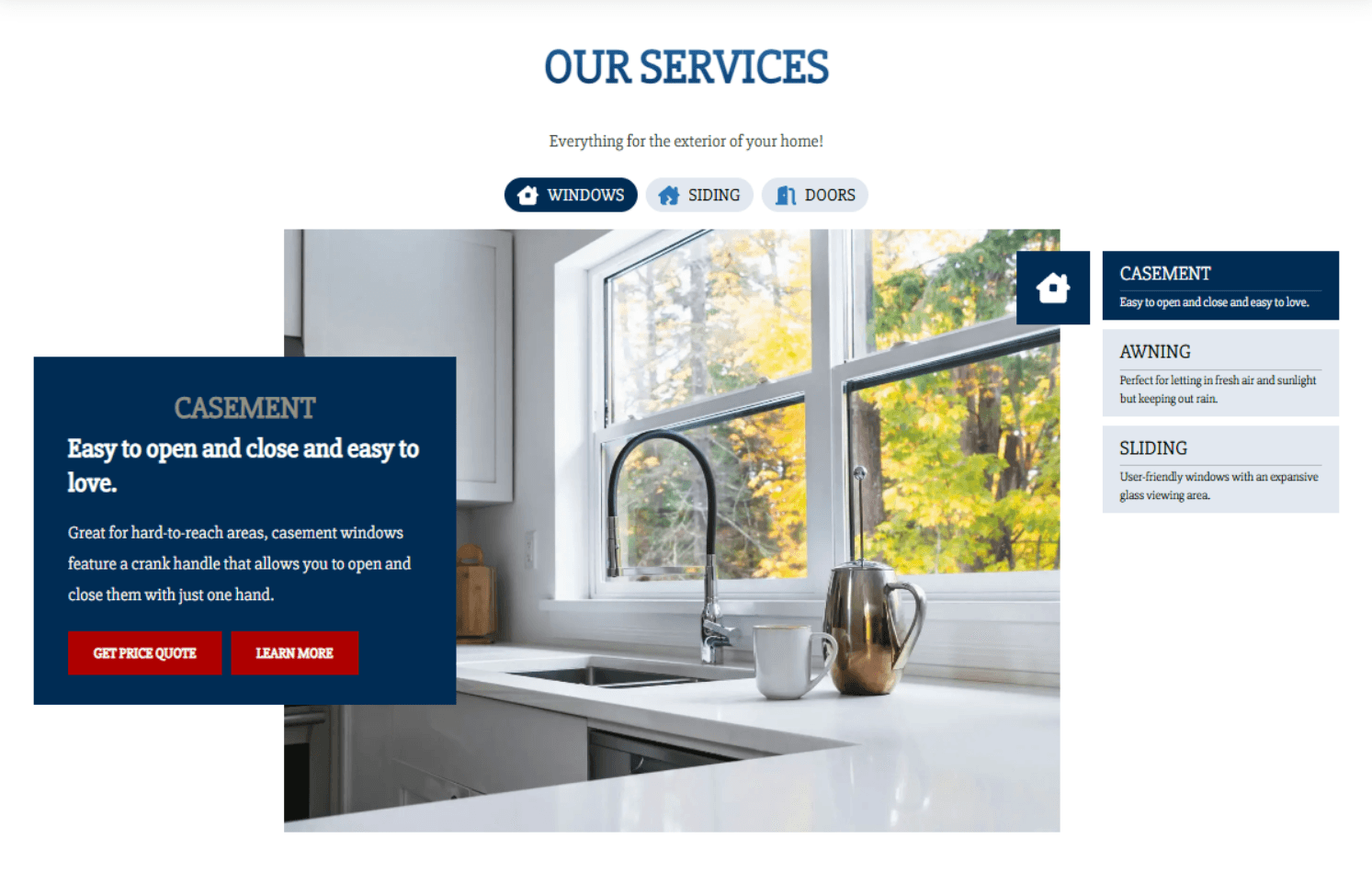
New Service Selector Block
- What’s New: Introducing the Service Selector Block - a dynamic, visually engaging way for members to showcase their services and product offerings. This new block allows users to highlight primary services through category tabs and optionally add subcategories within each tab. These are paired with supporting images and descriptions that update as visitors interact with the block.
- Impact for Members: Creates a more modern, guided browsing experience that helps visitors quickly understand available services without navigating across multiple pages. The Service Selector Block improves content organization, supports subcategories within each service, enhances visual storytelling, and reinforces conversion-focused layouts by keeping users engaged on the page longer.
Full Width Eyebrow Option
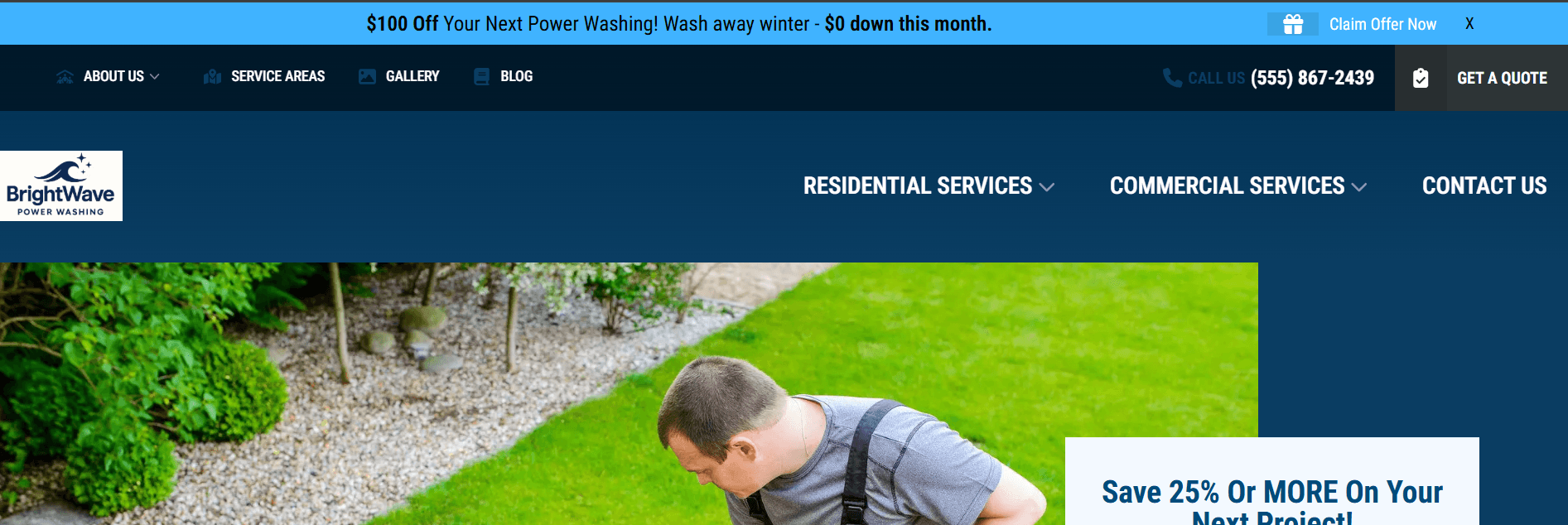
What’s New: Members can now enable a Full Width Eyebrow directly from Site Settings. Previously, eyebrow content was constrained to the standard site width. With this update, the eyebrow can extend across the full browser width.
Impact for Members: Adds greater layout flexibility and creates a more balanced header presentation across larger screens, helping utility navigation feel more aligned with modern site designs.
Reusable Block Conversion
What’s New: You can now convert existing blocks into Reusable Blocks directly within Pages, Posts, Page Templates, and Modals. Simply select a supported block, click the reuse icon, and save it as a reusable block without needing to recreate content from scratch.
Impact for Members: Makes it easier to standardize content across a site by turning frequently used layouts, CTAs, or sections into reusable components. This helps reduce duplicate work, improves consistency, and speeds up page building workflows.
Quick Wins
Small-but-mighty upgrades that bring extra shine, smoother experiences, and more design flexibility.
Get Directions Link Customization: You can now customize the Get Directions link within Contact Map blocks. Members can remove the default Google Maps directions link or replace it with a custom link while keeping the same styling and placement - giving greater flexibility over link behavior
- Content Block Button Alignment: You can now align Content Block link buttons left, center, or right - similar to the alignment options available in the Column Cards Block. After enabling the link option, a new Link Alignment dropdown allows you to choose your preferred styling.
- Reusable Block Position Editor: You can now choose whether reusable blocks display above or below content within the Rich Text Editor. A new Reusable Block Position setting lets you control content flow without restructuring layouts or duplicating blocks, making page building more flexible and efficient.
- Duplicate Form Submission Prevention: Forms now better prevent duplicate submissions caused by repeated clicks on submit buttons, helping reduce duplicate leads and CRM noise.
- Block Title Color Customization: You can now update Block Title colors on 3 additional blocks, including Column Cards, Text with Carousel, and Contact Map blocks, giving members more consistent styling control across these layouts.
- Time Picker Field Width Fix: Time Picker fields now correctly assign width settings within forms. Fields will render consistently across layouts, improving overall form alignment and layout.
- Form Loading Text Styling Update: Form loading text now matches the rest of the form styling, creating a more consistent and polished visual experience during submissions.
- New Device Tracking Cookie: Introduced a new tracking cookie (_trutrack_is_mobile) to improve device detection accuracy, particularly in browsers like Safari where Segment previously had limited support. Improves analytics reliability and device attribution accuracy across supported browsers.
Form Integration Updates
Less flashy, still important. These behind-the-scenes updates allow us to integrate with new members and improve data attribution.
- ServiceTitan Summary Field Mapping Update: ServiceTitan integrations now support mapping multiple form fields to the Summary field. This gives teams more flexibility in how form submission details appear within ServiceTitan records.
- JobNimbus Integration Update - Dynamic Record Type Support: Updated JobNimbus workflows to separate contact record types from job workflow record types. This allows form submissions to map more reliably across varying member configurations.
- Service Fusion Estimate Status Support: The Service Fusion form integration now supports specifying an Estimate Status within integration rules rather than defaulting automatically.