

See What’s New on TruSpeed in December
Spotlight Features
The big, shiny things that bring more power, polish, and flexibility to TruSpeed.
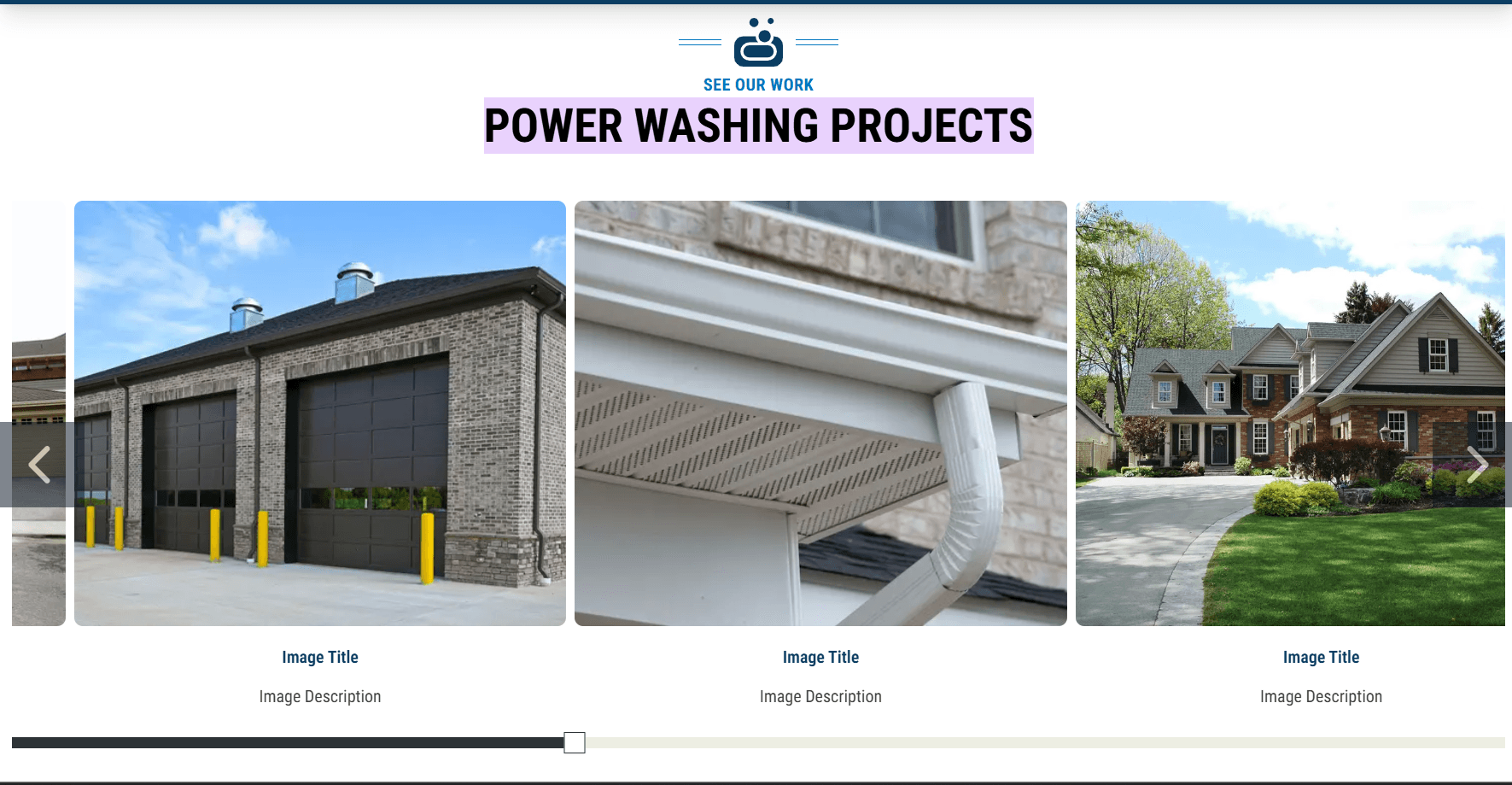
New Gallery Carousel Block
What’s New: TruSpeed now includes a dedicated Gallery Carousel Block, giving you a dynamic new way to showcase imagery. Customize sizing, navigation buttons, progress indicators, captions, and more - all within a smooth, scrollable carousel experience.
Impact for Members: A versatile, visually engaging way to highlight trust imagery, photo galleries, team photos, or project work. This new block makes it easy to elevate visual storytelling and keep visitors engaged without overwhelming the page.
Events Block
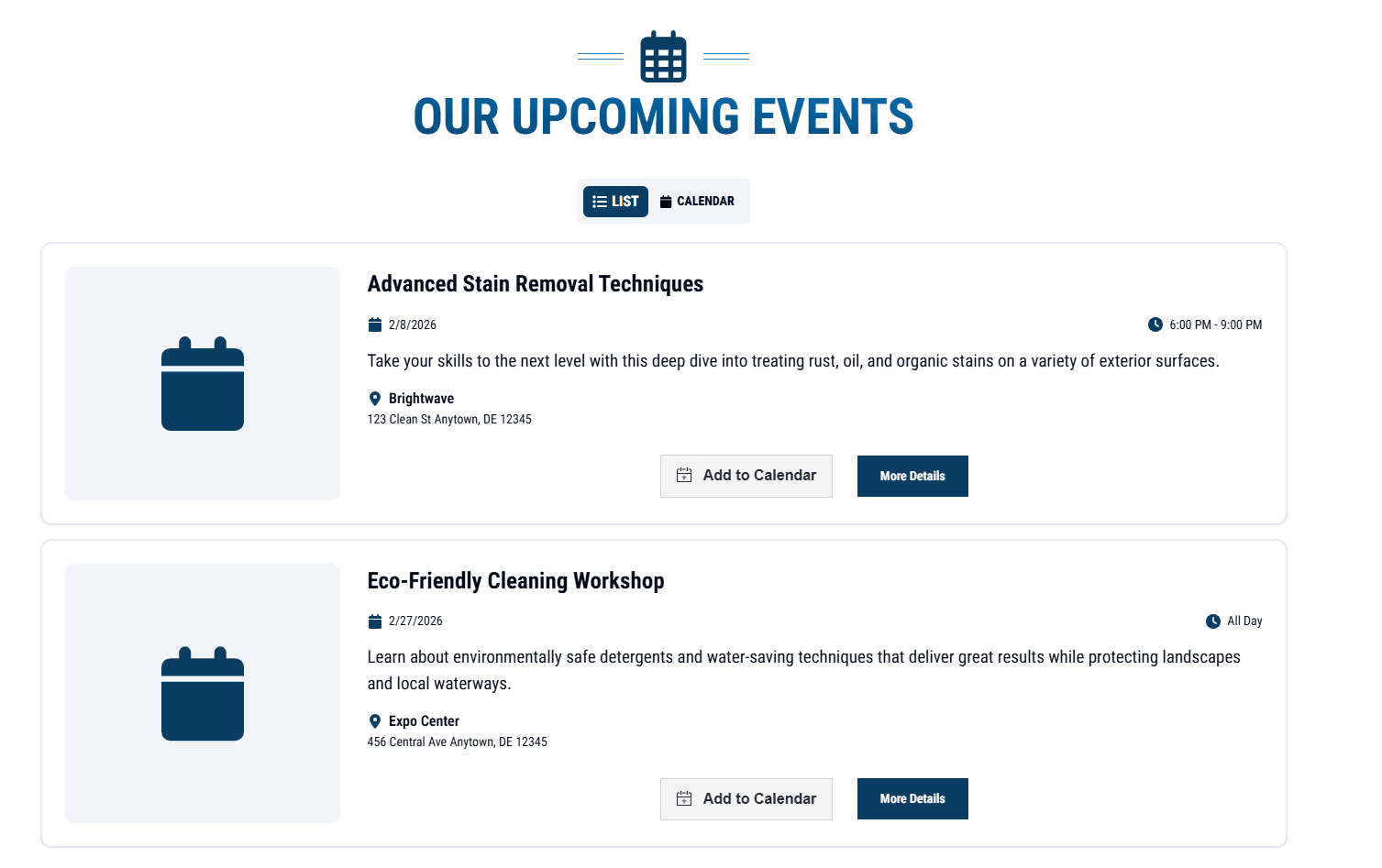
What’s New: TruSpeed now includes an Events Block that lets you display upcoming events in both an easy-to-scan list and a calendar-style view. Each event also has its own individual page, so you can include full details like descriptions, dates, locations, and more.
Impact for Members: A clean, organized way to promote upcoming events, webinars, specials, and more - helping members keep content fresh and visitors informed without manual updates or workarounds.
Site Wide & Form Submit Button Styling
What’s New: TruSpeed now lets you customize button styles across your site. Update background and text colors (including hover states) for Default and Secondary buttons directly in Site Settings → Custom Button Styles. You can also style form submit buttons within each form’s advanced settings. Future iterations will extend this same level of customization to Primary buttons as well.
Impact for Members: Gives members greater flexibility to align CTAs with their brand and design system - creating more consistent, polished experiences and stronger visual hierarchy across sites.
Built-In SEO Schema Support
What’s New: TruSpeed now supports five core SEO schemas out of the box - Service, Local Business, Website, Organization, and Events. These schemas are generated from structured data in TruSpeed, with the flexibility to manually add or complete schema fields when information isn’t already available. This ensures search engines and AI systems can accurately understand each site’s content and business identity.
Impact for Members: Schema isn’t about quick ranking wins - it’s foundational SEO infrastructure. By adding structured data natively, TruSpeed helps member sites strengthen entity recognition, improve eligibility for rich results, and stay future-ready as search and AI platforms rely more heavily on structured information.
Quick Wins
Small-but-mighty upgrades that bring extra shine, smoother experiences, and more design flexibility.
Third-Party Form Block (HeavySet Support): TruSpeed now includes a Third-Party Form Block, starting with HeavySet. Members can configure API tokens, custom IDs for styling, and custom CSS - making HeavySet forms easier to manage and more consistent across sites, while laying the foundation for future third-party form integrations.
Secondary CRM Support: Forms can now connect to two CRMs at once. Use the new “Second Form Integration” option to map each field to a second CRM - perfect for members who need leads sent to multiple systems.
Reusable Block Spacing Controls: You can now adjust the spacing between Reusable Blocks inside a Content Block - choose default spacing, container-only spacing, spacing between blocks only, or no spacing at all - giving you more precise layout control.
Column Cards Block Carousel: The Column Cards Block now supports a carousel display. Turn on autoplay, add a progress bar, and choose from multiple display options for a slick, scroll-friendly layout.
Expanded Exit Modal Controls: You’ve always been able to enable a sitewide Exit Modal and customize it per page - now you can also disable it entirely on specific pages. Just use the new toggle in the page’s Exit Modal settings to turn it off where it doesn’t apply.
Site & Organization Duplication Removed: We’ve removed the duplicate option for Organizations and Sites. This change helps keep TruSpeed more predictable and safer to work in.
Text With Image Block Mobile Styling Fix: Fixed an issue where disabling “Image First on Mobile” unintentionally affected desktop styling.
Form Integration Updates
Less flashy, still important. These behind-the-scenes updates allow us to integrate with new members and improve data attribution.
Xtreme CRM Integration: TruSpeed forms can now integrate directly with Xtreme - sending form submissions straight into the CRM.
JobNimbus Create Job Option: When integrating with JobNimbus, TruSpeed users have the option to create a Job alongside the Contact. The toggle defaults to off, giving members full control over when Jobs should be created.
Salesmate CRM Integration: TruSpeed forms can now integrate directly with Salesmate - sending form submissions straight into the CRM as a Contact. Future iterations will include supporting Deal creation.