

See What’s New on TruSpeed in April
Spotlight Features
The big, shiny things that bring more power, polish, and flexibility to TruSpeed.
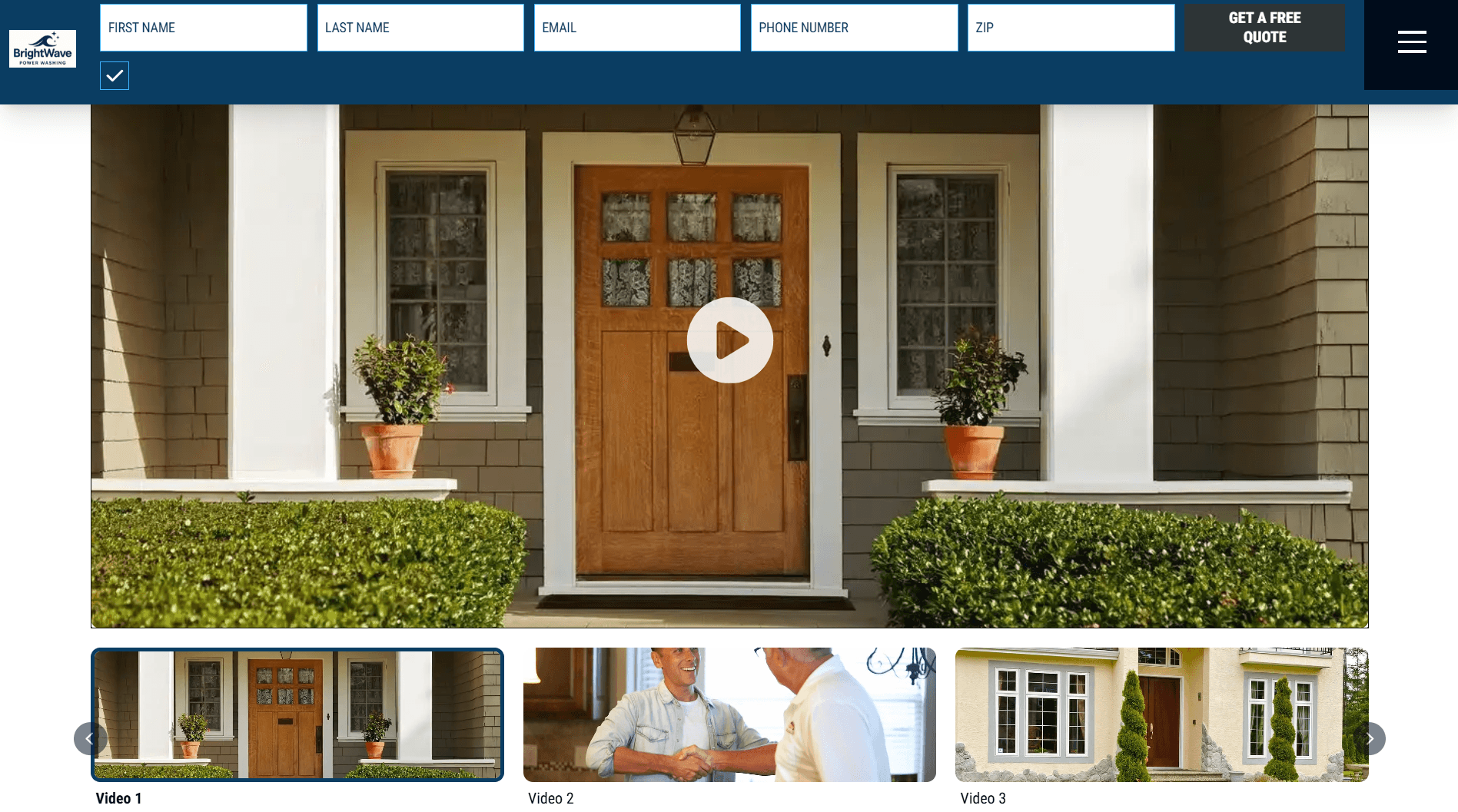
Video Carousel Block
- What’s New: We’ve added a new Video Carousel Block that gives members a clean, organized way to showcase multiple videos directly on their website. The block supports TruSpeed-hosted videos, YouTube embeds, custom thumbnails, and flexible content display options.
- Impact for Members: Makes it easier to highlight testimonials, project showcases, educational content, and promotional videos in a polished layout that keeps visitors engaged and enhances visual storytelling.
- See it Live -> HERE
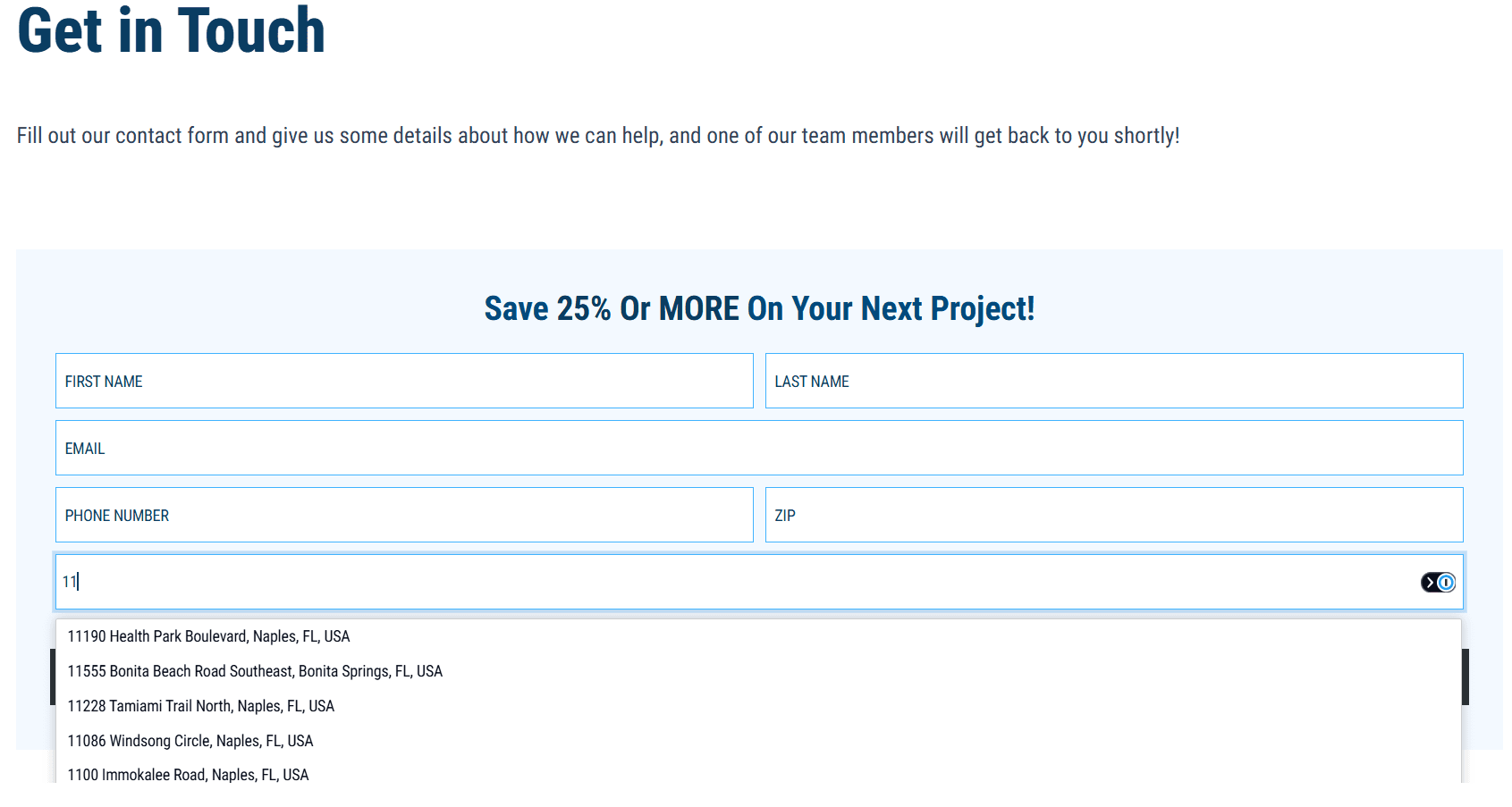
Address Autocomplete Form Field
- What’s New: We’ve introduced a new Address Autocomplete form field that supports autocomplete powered by Google. As users type, address suggestions appear based on where they’re browsing from, and selecting one fills in the full address instantly. Members can also choose to collect individual address components like street, city, state, and ZIP if needed for their CRM or workflows.
- Impact for Members: Makes it significantly easier for users to enter accurate address information, reducing friction during form submissions and improving data quality. This also simplifies form setup for members while supporting more structured CRM data.
- See it Live -> HERE

Full Width Header
- What’s New: TruSpeed now supports a Full Width Header, allowing header content to extend across the entire browser width instead of remaining constrained to the standard site width. This pairs seamlessly with the Full Width Eyebrow for a more expansive header layout.
- Impact for Members: Creates a more modern, edge-to-edge header experience while improving visual consistency across wider screen sizes. This gives members greater control over overall site layout and branding.
- See it Live -> HERE
Quick Wins
Small-but-mighty upgrades that bring extra shine, smoother experiences, and more design flexibility.
- Toggle for Disabling Gradient Overlay: The header gradient overlay is now optional. Members can disable it in Site Settings for more control and a cleaner header design.
- Full Width Hero Form Padding Update: Improved spacing between form content and surrounding text creates a more balanced, polished layout.
- Message Field Size: The Message field now supports Small and Large text styles, allowing for more flexible use beyond disclaimers, such as headers or step labels.
- Contact Map Location Dropdown Formatting: Control how the Location Accordion loads by default, either the first location open or all closed, for more flexibility with multi-location setups.
- Redirect Field Validation: Improved validation and helper text catch formatting errors early, reducing misconfiguration issues.
- Date Picker Calendar Size Increase: A larger calendar improves readability and usability across devices.
- New Fonts: Added Libre Baskerville, IM Fell English, and Playfair Display to better support brand-aligned typography.
- Internal Links in Rich Text: Internal links can now be used safely in rich text without impacting performance or breaking pages.
- Partial Delete Validation/Protection: Prevents deletion of forms, pages, and reusable blocks when they are still in use.
- Archive Block Performance Improvement: Improved handling of large volumes of posts and pages, reducing load issues on content-heavy sites.
- Override Sitewide Callout Banner on Pages: Option to hide sitewide banners or add page-specific banners at the page or template level.
- Eyebrow Font Weight Control: Adjust the font weight of the eyebrow phone number and CTA, with page or template-level overrides.
Form Integration Updates
Less flashy, still important. These behind-the-scenes updates allow us to integrate with new members and improve data attribution.
- Domain + Pathname Tracking: Form submissions now include domain and pathname data, helping improve visibility into where leads are coming from across a site. This is now captured by default for form submissions, so you don’t lose out on data if that field hasn’t been added to your form.
- Phone Number Validation Update: Phone number fields now prevent entries starting with “0” or “1,” helping ensure leads include accurate contact information.
- Salesmate Deal Creation Support: Salesmate integrations now support creating a Deal after a Contact is created, expanding CRM workflow capabilities.
- BuilderPrime Custom Fields Support: TruSpeed now supports sending custom field data using dot notation, allowing for more flexible CRM field mapping.
- JobNimbus Owner Assignment: You can now assign owners to contacts via hidden fields, enabling automated notifications and assignment workflows. This helps ensure faster follow-up without manual assignment.